Send any video.Leave with the post done.

Link, file or livestream: one place to create, edit, caption, schedule and publish. The AI does the heavy lifting.

No card · 15 credits a month, free forever

LiveKick · clipping in real time
LIVE
VideoYouTube · 12 min
00:07:22energy peak
Clip ready9:16 · 26s
who already clips with us

How it works

Three steps. Two of them are ours.

Real clips · made and published on Cut.pro

17 clips. Not one edited by hand.

combined views on these clips
10M
from link to first clip
~2 min

01of 17

  • Her nosey mode activated INSTANTLY, by MC Dukevi on Facebook, 850K views, 4,441 likes, 3 comments.
  • When her vocals leave the producer speechless, by MC Dukevi on Facebook, 765K views, 3,795 likes, 8 comments.
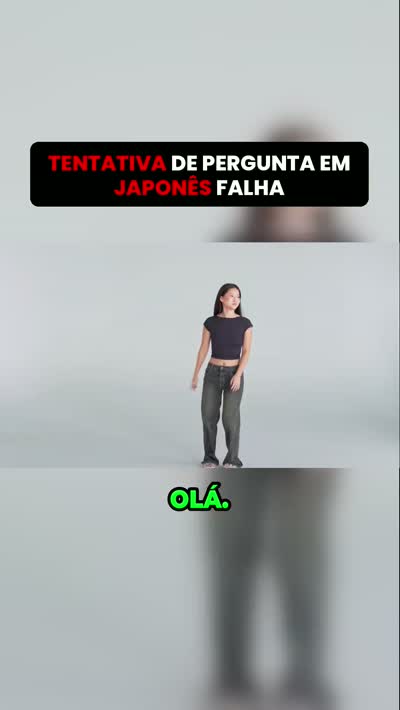
  • Tentativa de pergunta em japonês falha, by @_cortesrl on TikTok, 718K views, 57K likes, 31 comments.
  • Impostora revela que é da Espanha e falava coreano, by @_cortesrl on TikTok, 669K views, 64K likes, 8 comments.
  • Bro is absolutely mesmerized by her vocals, by MC Dukevi on Facebook, 654K views, 2,967 likes, 9 comments.
  • O que fariam com 50 reais, by @_cortesrl on TikTok, 1M views, 84K likes, 60 comments.
  • When one word causes a whole creative crisis, by MC Dukevi on Facebook, 635K views, 2,358 likes, 2 comments.
  • Vocês têm coragem de separar uma briga de pitbull?, by @fortecomorino on Instagram, 610K views, 36K likes, 261 comments.
  • The focus in this room rn is unmatched, by MC Dukevi on Facebook, 580K views, 2,731 likes, 4 comments.
  • Globo agora usa imagens cedidas pela CazéTV, by @kyrm250 on TikTok, 555K views, 52K likes, 706 comments.
  • Tradutor de almas, by @play.no.corte2 on TikTok, 527K views, 51K likes, 819 comments.
  • Mágico faz desenho ser colorido aleatoriamente pela plateia, by @_cortesrl on TikTok, 471K views, 13K likes, 28 comments.
  • Motor de 3 mil dólares é descartado pela BYD, by @rodrigo_executivetransfer on Instagram, 453K views, 19K likes, 186 comments.
  • Chuteiras raras dos jogadores da seleção brasileira, by @central_stream_oficial on TikTok, 389K views, 19K likes, 32 comments.
  • Borrachão no Chevette elétrico quase quebra o diferencial, by @rodrigo_executivetransfer on Instagram, 387K views, 22K likes, 127 comments.
  • Falcão mostra a sala de troféus e a placa The Best da FIFA, by @central_stream_oficial on TikTok, 383K views, 41K likes, 62 comments.
  • O pai do Muzy é meio doido, mas o orgulho pelos filhos é real, by @fortecomorino on TikTok, 374K views, 28K likes, 59 comments.

And the next one is yours.

Paste my first link

The platform

It isn't a clipping tool. It's where the channel runs.

Clip, edit, caption, translate, reframe, download, schedule, publish and measure. What is eight tabs and three subscriptions today fits in a single account, from the 40-second video to the nine-hour livestream.

Full editor

The clip comes out finished. But it stays yours.

Timeline, hard cuts, animated captions, music, overlays and community templates. All in the browser: no rendering on your computer.

See the tools
CaptionsStyleKaraokeFontInter Tight 700HighlightLimePositionLower center
Video
Captions
Music

Live clips

The clip is out while the stream is still on air.

Pick any Twitch, Kick or YouTube channel, yours or the one you clip, and Cut.Pro delivers clips in 10-minute batches while the stream is happening. On the Plus and Pro plans.

See the streamers page
LIVE · 4h12a batch every 10 min
Clip generated · 00:41:07nowPublished on TikTok12sPublished on Reels48s

Metrics and timing

Then it tells you what time it paid off.

Views, engagement and a clip ranking read straight from each network's API, with a heatmap by day and hour and a posting time recommended from your own history.

Create my account
2,4 miviews on clips · 30d+38%engagement vs. last month19hbest time to post
Average views by posting time
09
11
13
15
17
19h
19
21
23

From the moment to the distribution

Four stages. One single platform.

The AI watches it for you

  • Analysis of the whole video: energy peaks, reactions, setup and payoff, speech dynamics
  • Transcription with 99%+ accuracy in 40+ languages, slang and accents included
  • A viral score from 0 to 100 per clip, with a suggested title
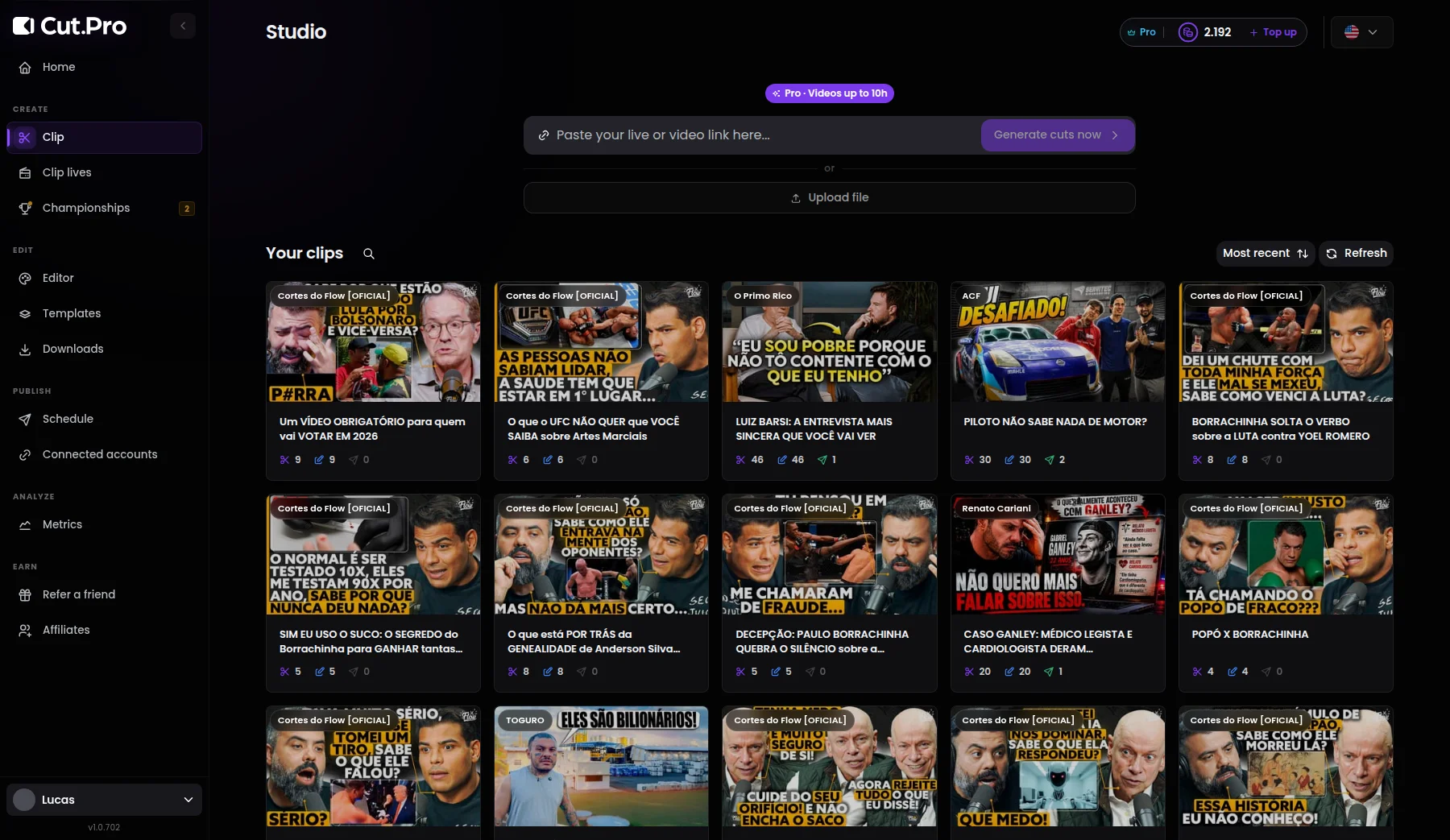
Cut.Pro's clip generation screen, with the clipping strategy and the stretch of video to analyze.

A real editor, in the browser

  • Timeline with multiple tracks, hard cuts and speed
  • Captions animated to the rhythm of the speech, with a template applied in one click
  • 9:16 framing with face tracking, no keyframes by hand
  • Short video goes straight in: captions, translation and vertical framing without any clipping step
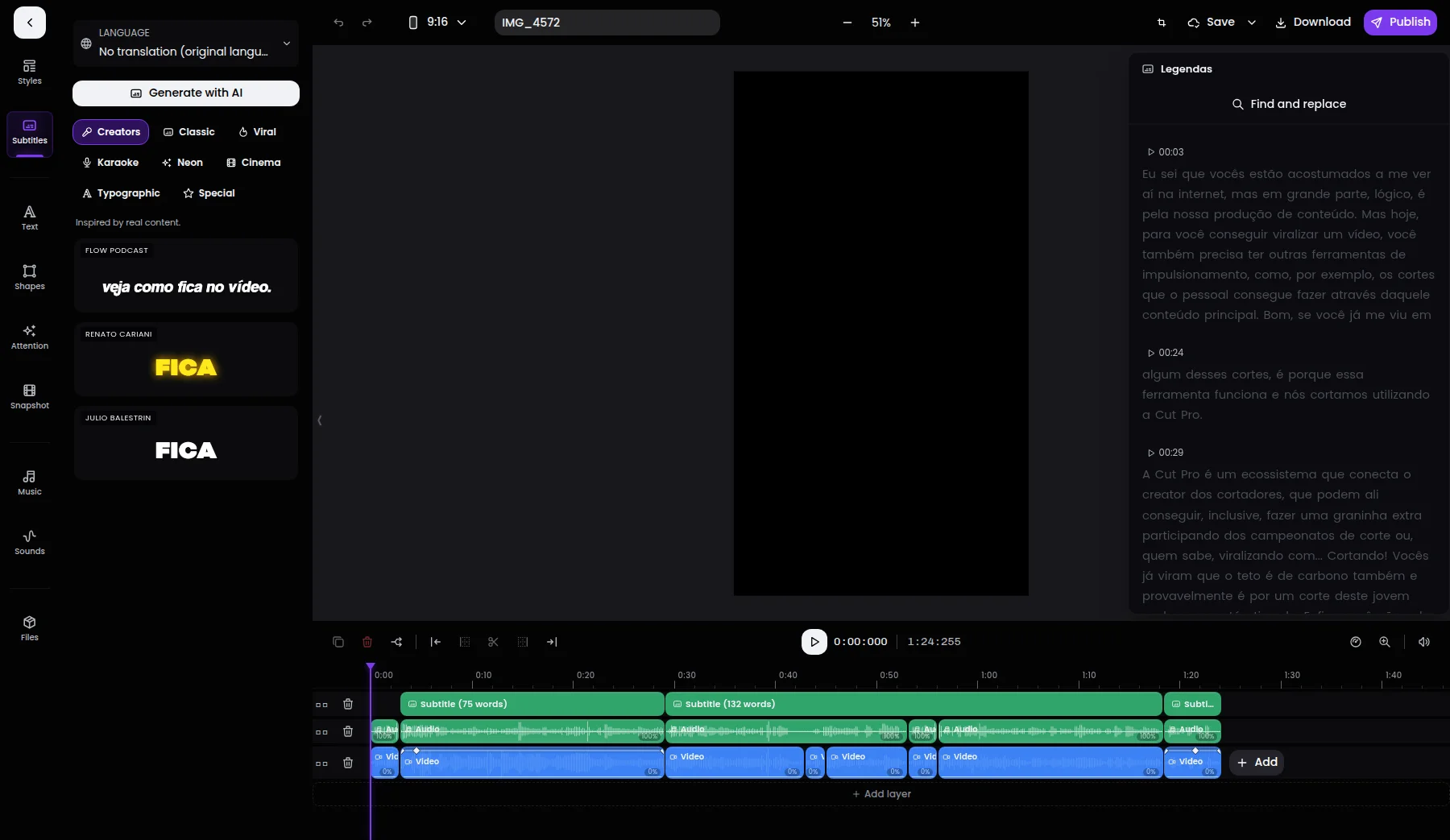
Cut.Pro's editor, with the vertical preview, the timeline and the captions panel.

One queue for every account

  • TikTok, Instagram, Facebook, X, LinkedIn, Bluesky and Pinterest, with several accounts per network
  • Scheduling with the time recommended by your channel's history
  • Auto-post: you switch the flow on and the clip goes out on its own, from new video to post
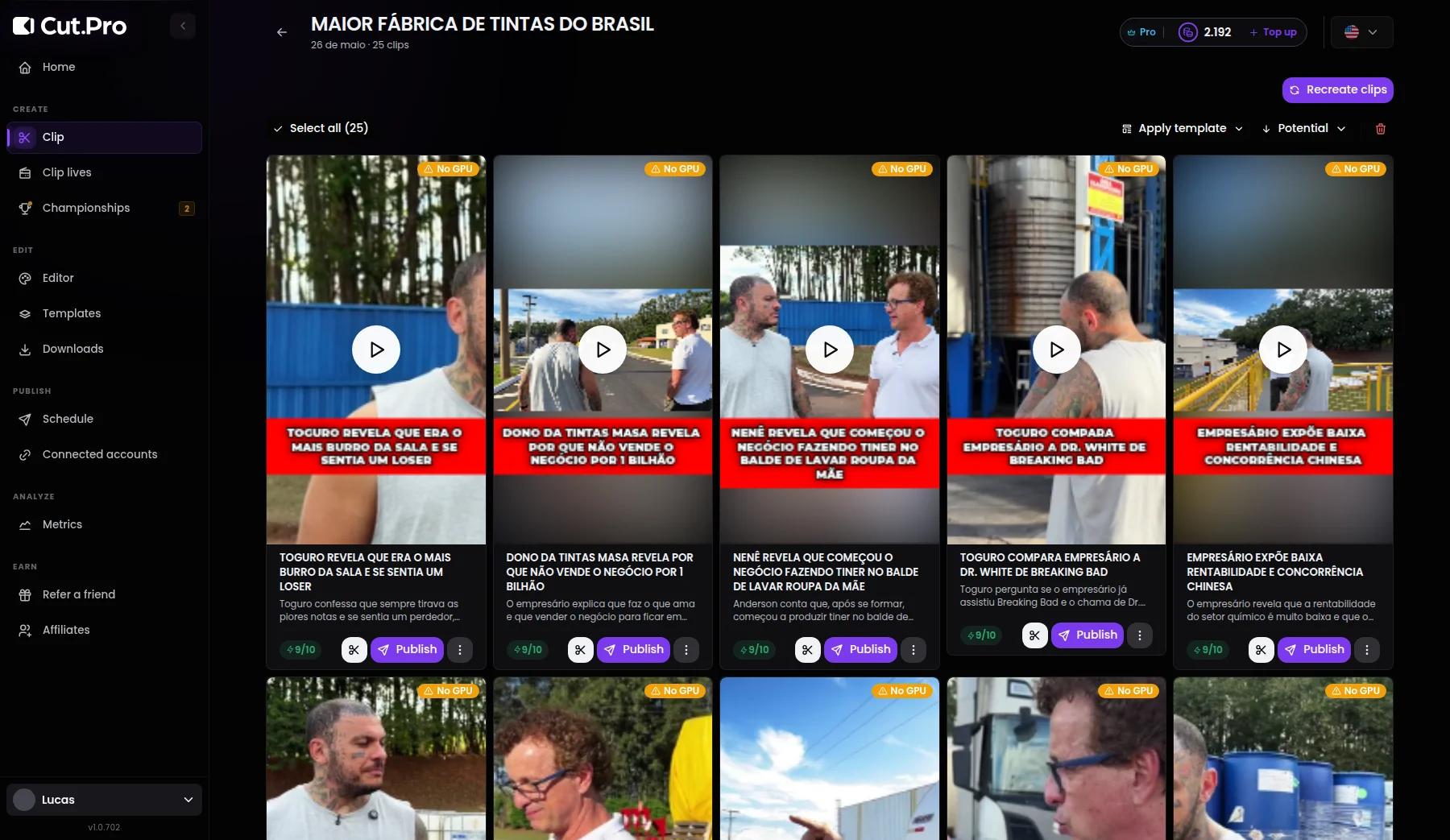
Cut.Pro's gallery of finished clips, each with a potential score and a publish button.

What worked feeds the next clip

  • Views and engagement per clip, per account and per network, read at the source
  • A heatmap by day and hour, built from your audience's history
  • Championships that put the community clipping for you
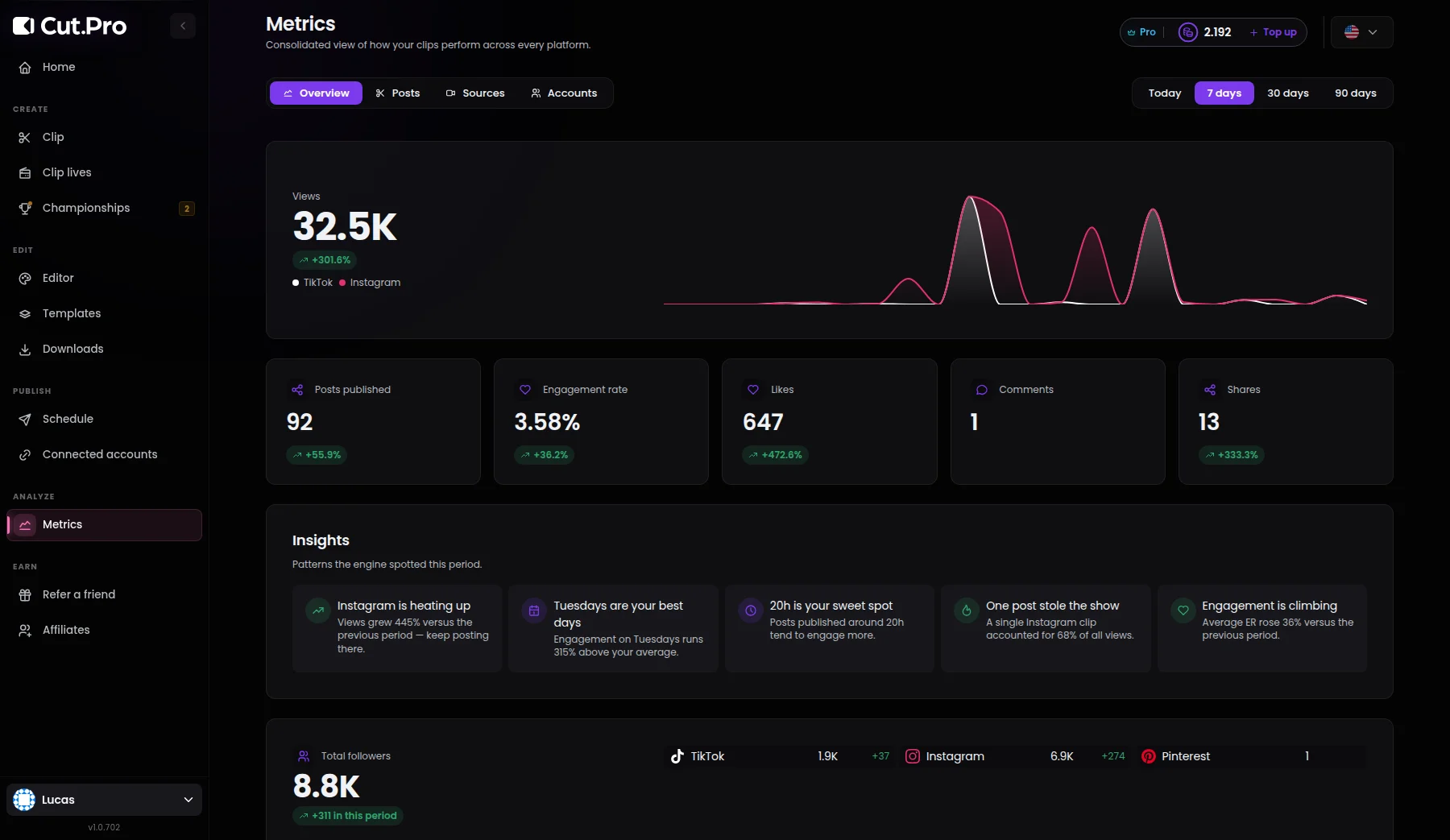
Cut.Pro's metrics dashboard, with views per platform, engagement and insights for the period.

Why it exists

Cut.Pro doesn't give you more editing time. It takes editing out of the way.

clips delivered by the platform
hours of editing nobody had to do

24 things that stop being your job

  1. Rewatching the whole video hunting for the good moment
  2. Writing timecodes down in a notes app
  3. Downloading the whole video to your computer
  4. Waiting for the project to open in the editor
  5. Eyeballing the start and end of every clip
  6. Reframing from 16:9 to 9:16
  7. Setting keyframes so the camera follows whoever is talking
  8. Transcribing just to get captions
  9. Fixing the captions word by word
  10. Picking font, color and outline one more time
  11. Stamping the channel's logo on every clip
  12. Digging for the cover among 300 frames
  13. Writing a different title for each network
  14. Rendering and waiting
  15. Rendering again because the audio came out off
  16. Moving the file to your phone
  17. Posting on TikTok
  18. Reposting on Reels
  19. Reposting on Facebook
  20. Dropping everything at 7pm to post on time
  21. Copying views into a spreadsheet
  22. Comparing with last week by eye
  23. Guessing what worked
  24. Doing it all over again on Thursday

Clipping championships

Your community clips better than an agency. Now it competes for it.

You open a championship, set the prize in cash or in credits and release the material. People clip inside Cut.Pro itself and publish on their own accounts; the ranking is measured by the views we read from each network's API, and the payout goes out through the platform.

See open championships
  • Reach without a payroll

    Dozens of people clipping the same VOD, each one to their own audience.

  • Rules and consent in the right place

    Rules, deadline and the participants' consent live inside the platform, with a review of every video before it scores.

  • Ranking by views read at the source

    Cut.Pro pulls the metric from the Instagram, TikTok and Facebook APIs. Nobody reports their own number.

  • Prize paid by the platform

    You deposit once and the payout goes out at the end, to the identified holder of each account.

Who has clipped already

It isn't about editing faster. It's about publishing more.

  • When I first found Cut.Pro, I freaked out. I just paste a link to my own video and... done! In a few clicks I repurpose my old footage and get my message to the right people.

    Helena P.Marketing Coach
  • I tested around ten platforms, including Opus Clip and Vizard. I can confidently say Cut.Pro is the best: maybe not the most popular yet, but in quality, editing and service, it's the best out there.

    Bruno F.Agency
  • Before Cut.Pro I used one app to transcribe, another to fix subtitles, another for animations and another to edit. Cut.Pro does it all and even picks the best moments.

    Marcos T.Video editor

Plans

Start small. Grow when it hurts.

1 credit = 1 minute of video analyzed, no matter how many clips come out of it. Pay by card, with an invoice. Cancel whenever you want, no penalty.

  • Starter

    For posting a few times a week.

    $9.90per month

    • 100 credits a month
    • No watermark
    • Credits valid for 90 days, they roll over
    • Full editor and videos up to 9 hours
  • most people pick this

    Plus

    For people who post every single day.

    $19.90per month

    • 600 credits a month
    • Live clips, while you stream
    • Up to 5 accounts per network
    • Priority processing
  • Pro

    For big channels, daily podcasts and agencies.

    $29.90per month

    • 1,250 credits a month
    • 4K export
    • Up to 15 accounts per network
    • Faster queue and priority support

Need more than an off-the-shelf plan? Custom volume, championships with your brand, SSO, a contract and company invoicing. We answer within 2 business hours and have the account running in 24.

Questions

What people usually ask before subscribing.

No. Paste the link and Cut.Pro fetches it on its own, from any platform the video is on. Uploading straight from your computer still works if you prefer.
No. Short video goes in the same way: a Short, an old Reel or a 40-second take can get captions, translation, 9:16 reframing and scheduling without becoming a clip at all. The limit is on the top end, not the bottom: up to 9 hours per video.
You can, as long as you have the rights to the content. You point at the channel on Twitch, Kick or YouTube and get clips in 10-minute batches while the stream is still on air, on the Plus and Pro plans.
1 credit = 1 minute of video analyzed. A 40-minute video costs 40 credits, a 3-hour livestream costs 180, no matter how many clips come out of it. The subscription already includes the month's credits, and what is left over rolls over until the plan's expiry.
Only if you let it. By default the platform suggests, with a viral score per clip, and you publish from the browser or the app. Auto-post, which takes the clip from a new video straight to scheduling, is an option you switch on per flow.
Yes. The transcription is calibrated on the hardest languages first and gets more than 99% of the words right, across 40+ languages. The caption style comes from the community templates or from yours, saved once and applied to every new clip.
TikTok, Instagram, Facebook, X, LinkedIn, Bluesky and Pinterest, with more than one account per network from Plus up. Twitch, Kick and YouTube come in as video sources, not as publishing destinations.
Each client becomes a workspace with its own accounts, templates, team and clipping strategy. Billing is a single one and the metrics come out separated by workspace.
You bulk download the clips and cancel from the dashboard, in seconds. There is no lock-in and no penalty, and access lasts until the end of the period you already paid for.

Still missing one? Help center