GTA 6 on day one: what players share and what makes a good clip
On GTA 6's first night, the most-shared moments were self-inflicted crashes, weird animals and the game's social media satire, according to Eurogamer. Here's why those three types of scenes take off and how to clip each one without running into spoilers or age restrictions.
GTA 6 on day one: what players share and what makes a good clip
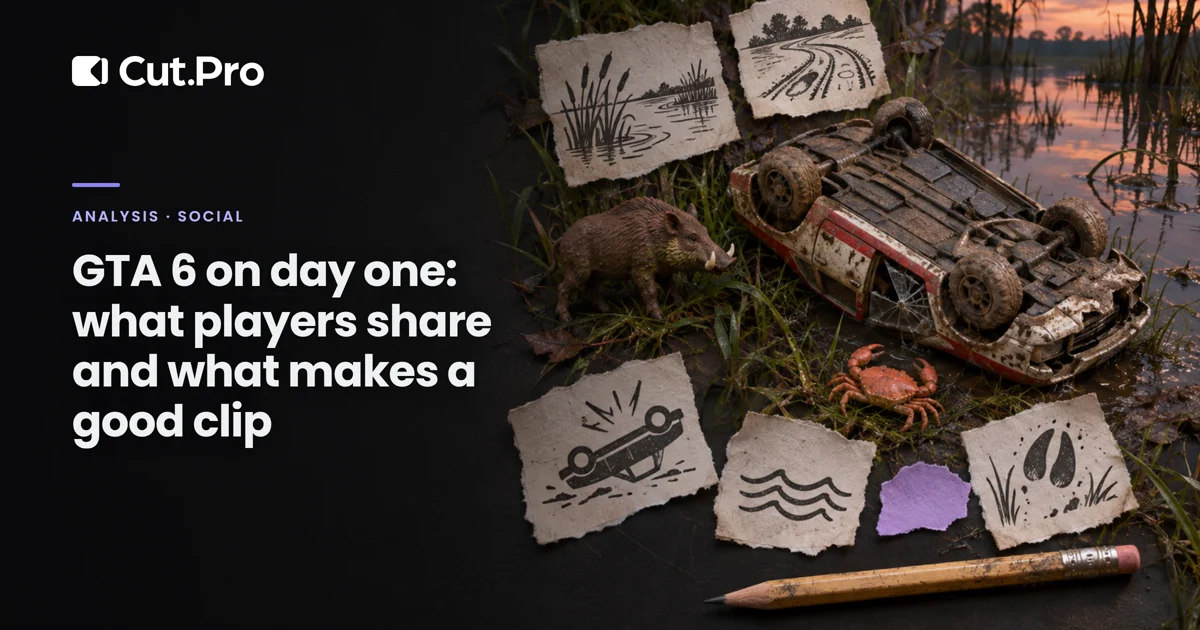
On GTA 6's first night, what spread the most online was players wrecking their own cars, weird animals out in the wilderness and satire of the game's social media. The list comes from Eurogamer, published this Thursday (November 19, 2026) based on player posts. My take: none of these three types of scenes depend on the story, and that's why they take off. If you make clips, this is your map of what to look for this week.
What are players posting?
Three types of scenes, according to Eurogamer: slapstick violence, animals and the phone feed. The site sums up the first group like this: many of the worst crashes are the player's own fault, almost always from reckless driving.
In the second group, anyone who leaves the main road runs into things that look supernatural: giant boars, mutant crabs and a dog riding a jet ski, plus animal attacks.
The third group is the game's social media. Snapmatic, the photo feed Rockstar already used in GTA 5, lives on the phone next to other satirical apps, like BuckMe, a digital money app, and Scooter Bros, which delivers one of your cars wherever you are.
Why do these scenes go viral and missions don't?
Because someone who has never played gets them in three seconds. A car flipping over because of the driver's mistake, a dog on a jet ski and a satirical post on the in-game phone don't need any context. A story mission does, and it also carries spoilers.
This matters for the algorithm. Most people who see the clip on TikTok or Reels this week haven't played yet. Either the game is still downloading (the download is 212 GB, according to IBTimes) or they haven't bought it. A clip that requires knowing who a certain character is loses those people in the first second. A crash clip doesn't.
There's a second reason, a rules one. Rockstar's policy asks for the removal of videos showing the game's ending and major story reveals. I wrote about this in GTA 6 spoilers and your clips. All three types of scenes on Eurogamer's list stay outside that zone. There's no reveal in a giant boar.
Who wins and who loses?
Clippers who follow streamers that explore come out ahead. A streamer who drops the mission to see what's in the swamp produces more clips than one who follows the map, and the swamp has a name: Grassrivers, the game's version of the Everglades, which I covered in GTA 6's map and what each region offers for clips.
Fast posters win too. In the first week, everyone will clip the same jet-ski dog. The first clip of a new scene catches the wave. The tenth competes for the same audience with nine identical ones, and the platforms' repeated-content detectors won't help you.
Anyone betting on cutscenes loses. On top of the spoiler risk, a cutscene is Rockstar's video with your name on it, and the streamer's reaction is what makes the clip yours.
Anyone clipping animals dying loses, at least in part. Here's the catch with animal attacks. TikTok's sensitive and mature themes rules list "graphic fictional violence" among content that may be limited to viewers 18 and over or kept out of the For You feed. YouTube's violent content policy weighs whether the violence is the focus of the video and whether the title aims to shock. A clip whose only subject is an animal dying fits exactly that criterion. The per-network details are in one GTA 6 clip on every network.
How to clip each type of scene
Each type has a different entry point and exit point. Getting the cut wrong by one second kills the joke.
| Scene | Where to start | Where to end | Length that usually works |
|---|---|---|---|
| Crash from player error | 2 to 3 seconds before, with the car still at speed | After the player's reaction, not at the explosion | 15 to 30 seconds |
| Weird animal | At the streamer's first "what is that?" | When they react to what the animal did | 15 to 30 seconds |
| Animal attack | On the approach, before the scare | Before the graphic part, on the reaction | 15 to 30 seconds |
| Phone satire (Snapmatic, BuckMe) | When they open the post | On their laugh or comment | 20 to 45 seconds |
Two notes from someone who posts every day.
On a crash, the hook is the speed, not the damage. If the clip opens with the car already upside down, viewers don't know why they should wait. Open two seconds earlier and they already know it's going to go wrong, and they stay to see how.
On the phone, the text of the in-game post is small for people watching vertically. Crop and zoom in on the phone area while they read it, or repeat the post's sentence in the captions. Without that, the joke is unreadable in the feed. If you read the post about GTA 6's photo mode, you've seen the same problem with screenshots: the screen is horizontal, the feed is vertical.
Can AI find these scenes on its own?
It can, if you tell it what to look for. In Cut.Pro, on the clip generation screen, the "What should we look for?" field accepts a written instruction. For this week, I'd run one generation for each of the three groups:
- "Crashes and accidents where the streamer reacts. Start before the crash and end after the reaction."
- "Moments with weird animals or animal attacks. End on the reaction, before any blood."
- "Moments where they read the in-game phone and laugh or comment on the post."
One caveat: Cut.Pro's analysis relies on speech. A clip of a player crashing their car in silence, with no voice, is something it won't find. For gameplay without commentary, you're the one who has to dig. The full instruction, each clip's score and how to save it as a preset for the live are in how to get AI to find the moments that make clips.
My take
I expected day one to be about the story, with everyone rushing to the first mission. Eurogamer's list shows the opposite: what people share is what the game does when nobody is following the script. That's good for clippers, because the open world doesn't run out, and a mutant crab doesn't get old the way a cutscene does once everyone has seen it.
The risk is saturation. A week from now, the jet-ski dog will be on a thousand accounts. What will separate those who grow from those who vanish is finding the scene nobody has posted yet, and that depends on which streamer you choose to clip more than on any tool. The launch audience, with the Twitch record in 30 minutes, is spread across many channels, and many of them still have nobody clipping them.
What to do starting today
- Pick one or two streamers who explore the map instead of just following the mission.
- Clip open-world content first: crashes, animals and the phone. Leave story missions for later, and no spoilers in the title.
- On animal attacks, end on the reaction, before the graphic part.
- Zoom in on the in-game phone and repeat the post's text in the captions.
- Before posting, search for the scene on TikTok. If there are already ten identical clips, look for another one.