How to cut gameplay into vertical clips that actually land
Gameplay in 9:16 is a puzzle. You've got the action, the facecam, and the HUD to fit onto a skinny screen. Let me show you how we solve that in Cut.Pro without cramming everything into an unreadable little square.
How to cut gameplay into vertical clips that actually land
Cutting gameplay for vertical has nothing to do with cutting a podcast. In a two-person chat you have two faces, done. In gameplay you have the game screen, the facecam, the HUD, the chat, and sometimes three overlays blinking at the same time. All of that has to fit inside a 9:16 rectangle, which is brutally narrow, without turning into a soup nobody can read.
I've lost count of how many good streamers I've watched torch a perfect play because the clip came out confusing. The play was jaw-dropping and, on a phone, nobody could tell what happened. This post is the way we think about it in here, from framing to audio.
Action and face on the same screen
Every gaming clipper's first question is the same: do I show the game or the streamer? Almost always both. But not the same way the whole time.
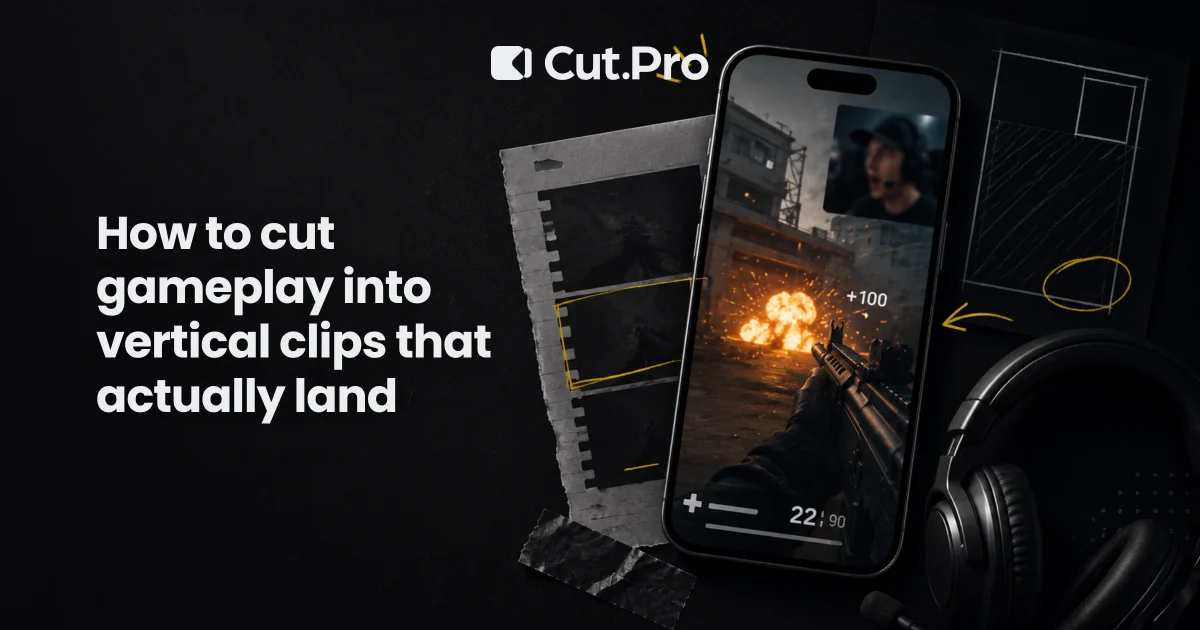
The layout that delivers the most is the stacked one. Facecam in the top third, gameplay below. You give face and context on the same screen. The viewer sees the reaction and sees what caused the reaction, which is the same logic behind any clip that holds: emotion and cause together.
The detail almost everyone gets wrong is thinking you can shove the whole game screen into the bottom half. Think of an FPS, it's 16:9, lying down. If you squeeze that into an almost-square space, the character turns into a three-pixel dot and the clip dies. The move is to crop the game to the point of action and throw the rest away. Where the crosshair is, where the enemy is, where the thing happens.
This is where vertical framing and automatic reframe wins the game. Instead of you marking the crop frame by frame while the game camera whips around like crazy, the system chases the center of interest and follows the speaker. The facecam stays framed when the streamer throws themselves back in the chair out of shock, and the game action doesn't leave the frame.
Which moments become clips
Some streamers play beautifully for an hour and don't yield a single cut. Some mediocre streamers live off going viral. The difference isn't skill. It's the turn.
The ones that clip themselves are rare and you spot them from a mile away. The clutch, that 1v3 that was lost and got flipped, nobody needs to know Valorant to feel the tension climb. The fail, falling off the map, missing the easiest shot of your life, dying to the boss with your health bar maxed out. Fail is universal, everybody laughs. Rage is divisive but it works: the scream, the keyboard getting beaten up, the line that becomes a meme the next day. Just don't let your whole channel become that. And the genuine scare, the jump in a horror game, the laugh the guy can't hold back. Real reaction is what separates a gameplay clip from just another game video lost in the feed.
The rule I use is blunt. If the segment doesn't have a clear emotional turn in the first three seconds, it isn't a clip. It's a portfolio highlight, which is a different thing, save it for YouTube.
The opening decides everything
On vertical the viewer's thumb scrolls the feed in a fraction of a second. If the first seconds are "hold on, let me explain the context," it's over. They've already scrolled to the next video and didn't even notice yours.
The trick is to start at the peak, or just slightly before it. If the good play blows up at second eight, start at second five, with the tension already building. Fifteen seconds of wandering before the action is suicide. Trim the fat.
When you pull the material with AI through Twitch and Kick clipping, a good chunk of the peak hunt comes pre-chewed. The tool marks the highest-energy stretches: audio spikes, the person's reaction, chat going off. The fine-tuning is yours, but you don't have to sweep three hours of VOD by eye like you're doing time.
Captions on gameplay
Captions on a gameplay clip have a trap that catches experienced people. The screen is already packed. There's the HUD, the crosshair, a number blinking. Drop a giant caption in the middle of that and it becomes pure visual noise.
What works is simple. Caption in the band between the facecam and the game, or way down at the bottom, away from the HUD, in a fixed position, not dancing around the screen. Keyword highlighted in color, not the whole sentence screaming. The eye needs to grab the meaning at a glance. And word-by-word sync: when the streamer curses, the word appears at the exact instant of the swear. That ties the sound to the text and holds attention.
Remember something that should scare anyone who ignores captions: half the crowd watches on mute. On the bus, in line, in bed at 2 a.m. with their partner asleep next to them. The caption is what saves the clip in those moments. Without it, half the impact of the reaction evaporates.
A readable HUD without squeezing the game
The HUD tells the story. Health in the red, ammo running out, the timer ticking. Sometimes the HUD is the whole joke, like dying with 1 health after ten minutes of tension.
The mistake is wanting to show the whole HUD the whole time. It doesn't fit, simple as that. The way out is to be selective. In the normal moment, focus on the central action. In the moment the number matters, a quick zoom on it, or an arrow, or a caption pointing out "1 health." You steer the viewer's eye to the right detail at the right time, instead of dumping everything in their face and hoping they find it on their own.
Think like a film editor, not like a screenshot. Each second shows what needs to be seen in that second, nothing more.
Game and voice fighting over the audio
This point separates amateur from pro and almost nobody pays attention to it. In gameplay there are two layers of sound fighting for the ear: the game (gunshots, soundtrack, explosion) and the streamer's voice.
The voice comes first. The reaction is what sells the clip, so the speech has to be clean and on top. The game audio comes in as support, giving tension and atmosphere, but without covering the voice. When the guy screams the clutch, I let the game sound breathe alongside the scream, never to the point of drowning it.
There's a silent danger here. A game audio spike, like a blown-out explosion, is usually the trigger for the clip, but it also blows out in the viewer's headphones. It's worth balancing so you don't hurt anyone's ears. A clip that makes someone rip their headphones off is a clip they'll never share.
Cutting straight from the stream
Most gameplay material is born in a Twitch or Kick stream. And rewatching hours of broadcast hunting for the two good minutes is, in my opinion, the most boring job that exists in this business. Worse than rendering.
The flow I use takes the VOD or the stream, drops it into Cut.Pro, and lets the native Twitch and Kick clipping sweep it for me. It finds the peaks, applies the vertical reframe following face and action, generates the captions, and hands back several cuts ready to go. I review, tweak what I want, post. What used to eat a whole afternoon fits into a few minutes, and that leaves time to do what pays the bills, which is playing and streaming.
For anyone who clips for others, this turns into scale. You can handle five streamers in the time it used to barely cover one, without becoming a hostage to the timeline.
In the end vertical gameplay is an exercise in priority. In each second you decide the one thing the viewer's phone needs to see, and you throw the rest out of the frame. Whoever gets that turns hours of stream into a feed that grows on its own. Whoever doesn't keeps squeezing a whole FPS into a little square and wondering why nobody clicks.