GTA 6: anyone who comments SAFE on your clip gets the answer in their DMs
A GTA 6 easter egg clip always draws the same question in the comments: where is it, what's the code? Here's how to make anyone who comments a word get the answer in their Instagram DMs automatically with Cut.Pro automation, and what Meta allows.
GTA 6: anyone who comments SAFE on your clip gets the answer in their DMs
A GTA 6 easter egg clip always ends with the same question in the comments: "where is it?", "what's the code?". You can make anyone who comments a word, like SAFE, get the answer in their Instagram DMs right away, without you touching your phone, using the "Comment a word, get a DM" automation in Cut.Pro. In this guide I walk through it step by step on screen, what Meta allows (one message per comment, up to 7 days later) and why this is worth more than just replying "it's in the description".
The other GTA 6 guides on the blog cover how to find the moment, add captions and post the clip. This one covers what happens after it goes viral: the comments.
Why move the answer to the DMs?
Because a comment becomes a conversation, and a conversation is the only place where you talk to someone without depending on the algorithm. Someone who commented SAFE and got the code in private already has a conversation open with you. For your next series of clips, you have somewhere to send them.
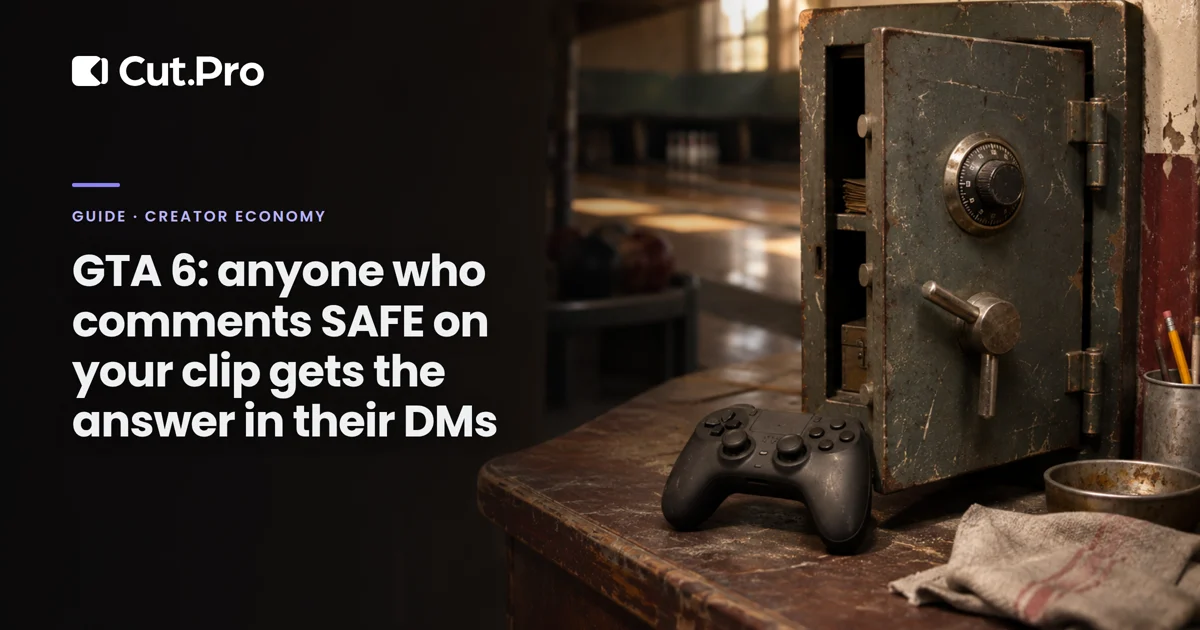
Take the bowling alley safe. The code is 0300, the safe is at Kingpin Bowling in Port Gellhorn, and it only unlocks in Chapter 2. A 30-second clip of the break-in brings hundreds of "what's the code?" comments. Answering them one by one is not realistic. Putting it in the description works, but people read it, leave and never remember who helped them.
There's a second use that few people think of: spoilers. A GTA 6 clip that gives away the ending risks complaints and reports. With the automation, the clip stays clean, and anyone who wants to know comments ENDING and gets the full video link in private. Only the people who asked see it.
What does Meta allow?
One private message per comment, sent up to 7 days after it. That's what the Instagram private replies documentation says, checked on November 25, 2026. After that first message, you can only send another if the person replies, and within 24 hours of their reply.
Three practical consequences:
- You need a professional account. Private reply is a feature of Instagram professional accounts (creator or business).
- Comments older than a week get no reply. If the clip starts circulating again later, anyone who comments now gets the message; someone who commented 8 days ago doesn't.
- A link across several messages requires the person to tap something. That's what the opening DM with a button is for, which I explain in step 4.
On Facebook, Meta has an engagement bait rule: a post that asks for comments, likes or tags without a concrete reason gets reduced distribution. Delivering a safe code is a concrete reason, but I wouldn't risk a clip whose only content is "comment GTA". For Instagram, Meta has not published an equivalent specific rule. Even so, the clip has to stand on its own.
Step by step: from the clip to the automatic reply
1. Make the clip that sparks the question
A good clip for this shows the place or the result, but not everything. The safe break-in, the alien ship coming down, Bigfoot in the middle of the woods. If you don't have the clip yet, the guide on how AI finds GTA 6 moments shows how to get from a livestream of hours to the parts that pay off, and the one on captions in GTA 6 clips shows where to put text without covering the game.
At the end of the clip (or in the captions of the last few seconds), write the ask: "comment SAFE and I'll send you the code". Repeat it in the post description.
2. Post it as a Reel
Post the clip to Instagram through Cut.Pro (the Publish now or Schedule button) or through the app itself. The automation reads the posts of the connected account, so the clip has to be live before step 3. If you just connected the account, posts show up in the list a few minutes later.
3. Create the automation from the template
In Automations, tap See all templates. The Create automation window opens, and in the Comments and messages category, pick Comment a word, get a DM. The wizard has four steps, with a preview alongside showing the Instagram screen your follower will see.
In the first one, When someone comments:
- Account: the Instagram account where the clip was posted. If none is connected, the connect button is right there.
- Post: pick A specific post and tap the clip's thumbnail. Any post makes the word work across the whole profile, which only makes sense if all your clips use the same word.
- Reply when someone comments: A specific word or emoji, and under Trigger words write SAFE. Capitalization and accents don't matter, and emoji work too.
4. Choose what shows up on the post and in the DM
In the Reply on the post step, turn on Reply to the comment publicly if you want an "I sent it to your DMs" under each comment. Write two or three versions: Cut.Pro picks among them at random, and the preview shows "Drawn from 3 texts". Hundreds of identical replies on the same post look like a bot, because they are.
In the Direct message step, you have two ways to do it:
- Direct: turn off the opening DM and write the whole message in Send a DM. Example: "The Kingpin Bowling safe code is 0300, with the zero in front. It only unlocks in Chapter 2, after the Coffee Break mission." It fits in one message, and it's the simplest way.
- With an opening: turn on Start with an opening DM. The person first gets a message with a button (the default is "Send me the link") and only after the tap does the DM with the link arrive. Use it when you're sending a link, like the full YouTube video or the map guide: the tap opens the conversation, and the one-message-per-comment rule stops blocking the rest.
Buttons with a link only accept addresses that start with https://.
5. Extras: follow, follow-up and repeats
The last step has three options. Ask for a follow before the link sends the request to people who don't follow you; people who already follow get it directly. Follow up if they don't click resends the link after a delay of 1 to 23 hours, because after that Instagram no longer lets you send a message. Reply to each person once every 7 days keeps someone who comments SAFE three times from getting everything three times.
I'd always leave the last one on. Asking for a follow is the honest trade here: the person wants the code, you want the follower. I'd turn on the follow-up only when the message has a link to a long video.
6. Activate and test with another account
Tap Activate. Cut.Pro shows "Auto reply is on" and reminds you of the detail that trips everyone up on the first test: comment the word with another account, because your own doesn't get the reply.
What mistakes make the automation fail?
The most common is a word that's too generic. "GTA" triggers on every comment that talks about the game, including "GTA is bugged". Use a word nobody would write unless they wanted the reply: SAFE, MAP, UFO, ENDING.
The second is changing the word midway. If the clip says "comment SAFE" and the description says "comment CODE", half the people get no reply. You can add both under Trigger words, but the right call is to use just one.
The third is sending in private what should be in the clip. If the only useful information in the video is hidden behind a comment, viewers feel cheated, and I wouldn't count on them for the next clip. The clip shows; the DM completes.
What about other networks?
The clip goes to all of them, the private reply doesn't. In Cut.Pro, the automatic DM reply works on Instagram and, with the Reply on Messenger block on the automation canvas, on Facebook Pages. On TikTok, YouTube and Kwai, the same person who would comment SAFE has to find the answer in the description or a pinned comment.
So the same clip gets two versions of the call to action: on Instagram, "comment SAFE"; on the others, "code in the pinned comment". The guide on one GTA 6 clip on every network shows how to post on each with the right description.
How much does it cost?
The automation is not included in the Free plan. The number of active automations grows from Basic to Pro, and the up-to-date table is on the pricing page. An automation set to Any post covers the whole profile, which helps if you're at the limit: just have all your clips use the same word.
Where to start
Take your GTA 6 clip that got the most "where is it?" in the comments. Create the automation just for it, with one word, the reply in the DMs and "once every 7 days" turned on. Let it run for two or three days and compare how many conversations it opened with how many followers the post brought in. If your account has a series of clips scheduled, part 2 already has people to notify.