GTA 6 giant crab: where to find it and the puzzle codes
A person-sized crab drops from the ceiling of an abandoned research outpost in the Leonida swamps and knocks Jason down. Here is where it is, the computer password, the safe and shed codes, the reward, and how to turn the jump scare into a clip.
GTA 6 giant crab: where to find it and the puzzle codes
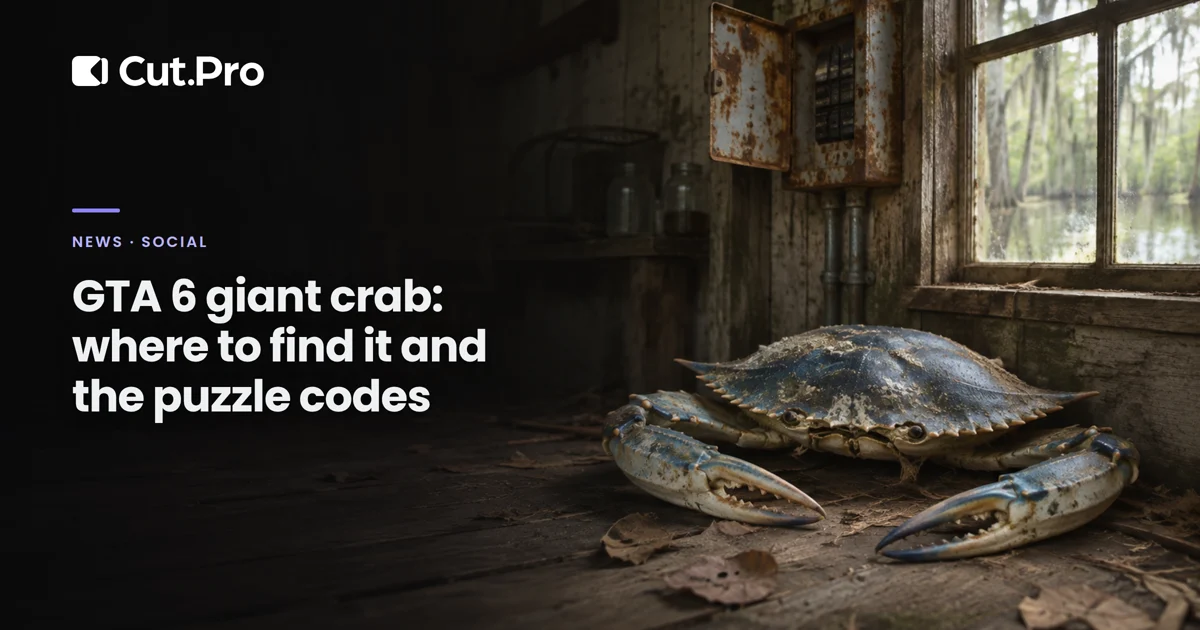
GTA 6 has a person-sized crab hidden in an abandoned research outpost in the Pelican Valley swamps, and it drops from the ceiling onto Jason when you use the computer in the house. The place also holds a puzzle with one password and two codes that end in a weapon named after the creature. For clippers, that makes two different videos in the same spot, and nobody has reported seeing the crab a second time.
What we know so far
The crab exists, but everything we know comes from players and guides, not from Rockstar. The Brazilian site Omelete showed the scene on Friday (Nov. 20): Jason explores a mysterious facility, a crab with glowing orange eyes and huge claws plummets from the ceiling, knocks him down, and after the fight vanishes without a trace. The article embeds a player post on Bluesky and another on X, whose video calls the scene "rare".
Kotaku's live blog about the launch logged the same encounter in a house in Gullet Marsh and, in its first report, admitted it was unclear how the player got there. That was settled the next day: the guides published afterward show the scene has a trigger, and it is not luck.
Where is the giant crab in GTA 6?
It is in an abandoned research outpost in the Pelican Valley swamps, in Leonida. GamerHour calls the place Pelican Valley Outpost, in Gullet Marsh. GamesHorizon describes the same facility in the Grassrivers area, in southwest Pelican Valley, and suggests getting there by boat.
The region name changes from guide to guide, but the description matches: a house with a breaker outside, a lab in a shed next door, a big blue pool, and a pier with a boathouse at the end. If you found all four, you found the place.
How to trigger the crab and solve the puzzle
The walkthrough below combines the GamerHour guides (the encounter and the puzzle, from November 19) and the GamesHorizon one, from November 20. The guides agree on the password and the codes.
- Turn the power on. The breaker is on the side of the house.
- Find the password. Go in, walk through the kitchen to the bedroom, and inspect the broken floorboard (L2 on PS5). It reads CLEAVES.
- Use the computer. It is in the office, to the left of the front door. Type CLEAVES and read the diary before leaving. According to GamesHorizon, the note says the safe code is only half the answer, and that is the clue.
- Step away from the computer. This is where the crab drops from the ceiling. Follow the on-screen prompts to break free.
- Get the specimen number. In the lab in the shed next door, a clipboard marks specimen 0036 as "success".
- Open the safe with 0072. It is double 0036. Inside you will find about $1,070 in-game and a note with the next code.
- Open the boathouse with 0212. It is at the end of the pier; GamesHorizon says to go past the blue pool, open the grate gate, and follow the wooden ramp.
Inside the boathouse there is a body, the Crabshack SMG (GamerHour calls it the Crabshack VF5), and a bag with $10,000. GamesHorizon warns that this cash is marked and has to be sold at an exchange point before it becomes usable balance.
One detail that changes your recording plan: none of the reports saw the crab come back. It shows up, knocks Jason down, and vanishes without a trace; GamesHorizon went back to the outpost later and did not find it.
Why this secret makes two clips
The crab combines two things that usually live in separate videos: a jump scare and a puzzle with an answer.
The scare is the shareable video. A quiet house, someone reading a diary on a computer, and a creature dropping from the ceiling fit in 20 seconds, and the effect works even for people who have never played GTA. This video is best with the reaction of someone who did not know what was coming, whether that is you or a streamer.
The puzzle is the save-for-later video. A password, two codes, and where each door is: it is the kind of clip people save to use when they get to the swamp. It also has a short shelf life, because puzzle codes spread fast. The same reasoning applies as with the Capri warehouse mystery.
And it has a hook the GTA 6 Bigfoot did not: a concrete reward. "This crab guards a weapon and $10,000" sells the tutorial better than "I found a secret".
What to do now
If you play, record your first entry into the house with the mic on. Since nobody has reported the crab coming back, treat the first time as your only chance to capture your reaction. How to get the recording off the console and into your edit is covered in how to clip your GTA 6 gameplay on PS5 or Xbox.
What I would watch out for in each clip:
| Clip | First second | On-screen text | Shelf life |
|---|---|---|---|
| Scare | Jason at the computer, quiet house | Nothing until the crab drops | Long, every reaction is different |
| Puzzle | The floorboard with CLEAVES | Password and both codes, one at a time | Short, a few days |
- Don't give away the crab on the scare's cover. A thumbnail with the claw kills the surprise that makes people watch to the end. The empty house holds attention better.
- Write the code, don't just say it. 0072 and 0212 need to stay on screen long enough for someone to pause. Where to put that text without covering the game's interface is covered in captions in GTA 6 clips.
- Spoiler risk is low, but warn people. The guides treat the encounter as optional map exploration, unrelated to any story mission. Still, anyone who wants to discover it on their own will appreciate a heads-up at the start. What Rockstar asked for is in GTA 6 spoilers.
- Say it came from guides. Rockstar has confirmed nothing. "According to the guides" in your text protects you if any step changes with an update.
If you clip other people's streams, the scare is the moment worth hunting for in this week's recordings. In Cut.Pro, in the "What should we look for in the video?" field of the clipper (or "What should we look for in the stream?" in live clipping), choose "Write" and ask for something like "streamer using the computer in an abandoned swamp house and getting attacked by a giant crab that drops from the ceiling". How to word that request so the AI gets it right is covered in how to get the AI to find the moments that become clips.
The simplest plan for today: one clip with the scare, another with the codes, and the scare first. The tutorial will have competition tomorrow; the reaction of someone who got the crab in the face without knowing it was coming will not.