Gemini may get custom voices with accent, tone and speed
The code in version 17.78.13 of the Google app has a "Create a voice" button in Gemini's voice menu, where you describe accent, tone and pace in text. It is still a leak, with no date. Here is what was found, what it does not solve for anyone narrating videos, and where you can create a voice from a description today.
Gemini may get custom voices with accent, tone and speed
Gemini may get a "Create a voice" button, where you describe in text the accent, tone and speed the assistant should speak with. The option was found in the Google app's code, does not work yet and has no date, but it shows where Google is taking its AI voice, and why it is still not a narration tool for people who post video.
What was found in Gemini's code?
Android Authority reported on Tuesday (Nov. 24) that version 17.78.13 of the Google app contains text for a new screen in Gemini's voice menu. The text found is:
- "Create a voice", as a button and screen title.
- "Describe how Gemini should sound", inside the text field.
- "Surprise me", to generate a voice with no instructions at all.
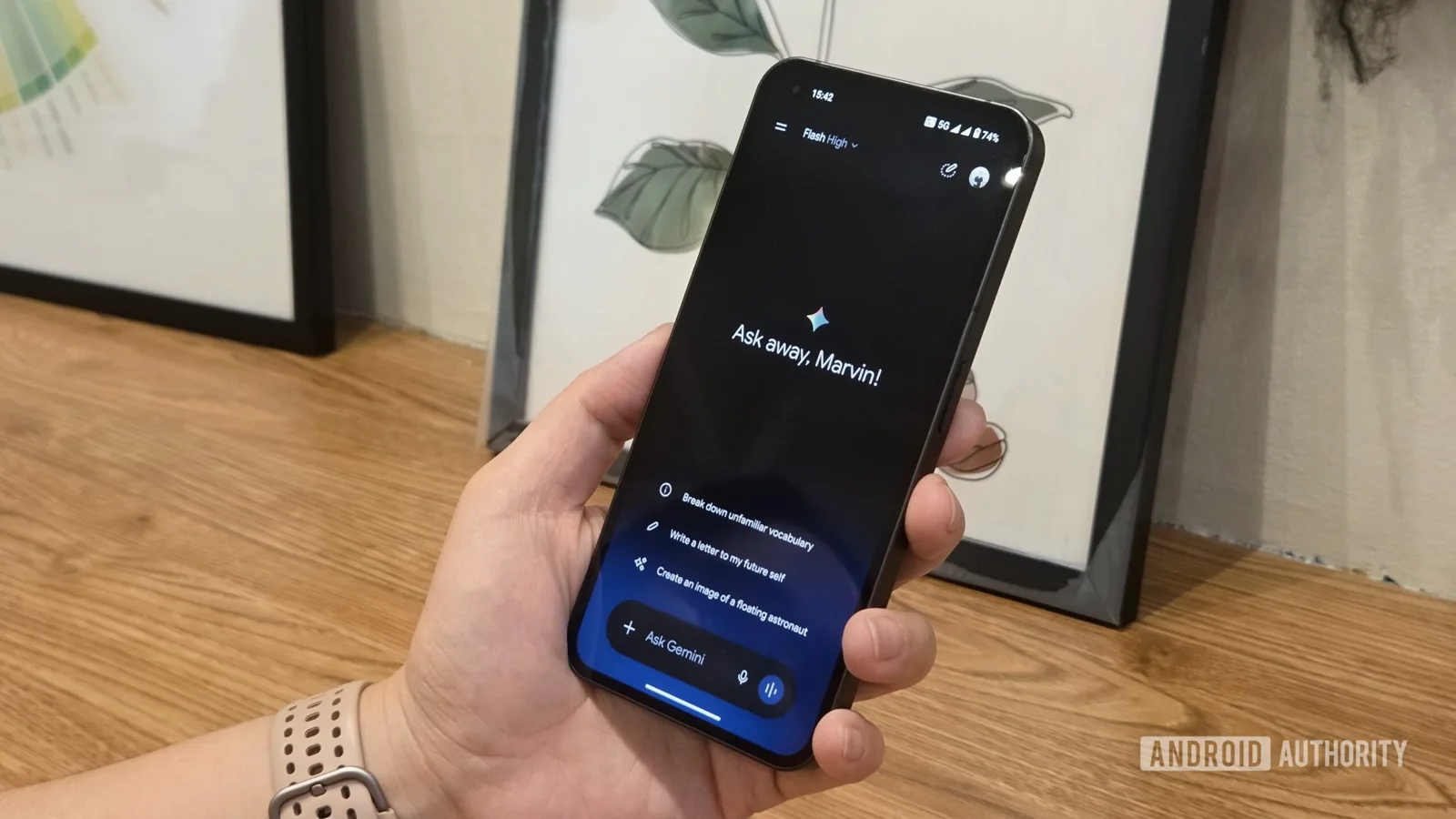
The idea is to move past ready-made voices and build one from scratch. Android Authority's own example asks for a deep, warm voice with a Scottish accent that speaks slowly and sounds cheerful without overdoing it. Canaltech, a Brazilian tech outlet, adapted it for Brazilian Portuguese: a Northeastern Brazilian accent with a calm tone and slow pace, or a deep voice with a São Paulo accent and a casual style.
The catch is big. The site could not turn the screen on, and code in development may never become a feature. Google did not comment, and there is no confirmation of when it arrives, whether it will be subscribers only or whether it will work in Brazil.
Why take it seriously, but not count on it?
Because Google already has the pieces, and also because it has shelved similar things before. In July, the same Android Authority found four sliders for Gemini's voice (speed, energy, warmth and formality), and they never reached users.
On the other side, the technology exists and is live. In September, Google launched Gemini 3.8 Flash TTS, a model that turns text into speech and creates an original voice from a written description, in more than 100 languages and dialects. It can also recreate a voice from a 30-second sample, but only with the voice owner's permission, and it marks the audio with a SynthID watermark. For developers there is also Voice Remixing, which changes the tone, accent and speed of an existing voice. Android Authority says there is no way to confirm that Gemini's feature uses this same base.
And the previous step just shipped. Since November 16, Google has been rolling out 66 regional voices in Gemini for Android and iPhone, across seven language variants, including Brazilian Portuguese. But the menu does not say which accent is which: you listen to the previews and pick. Creating the voice from a description would fix exactly that guesswork.
What changes for content creators?
For your video, almost nothing for now. The screen that was found sits in the menu that sets how Gemini talks to you: in Gemini Live conversations and when it reads an answer aloud. Nothing that was found mentions downloading the audio or using the voice outside the assistant.
That matters because the question people ask when running a faceless channel, a channel with no face on screen, is a different one: "can I get a voice with a local accent to narrate my Shorts?" Gemini's feature, as it appears in the code, does not answer that. It makes the assistant sound like you want it to. Narration is a different tool.
Where it does help is for people who use Gemini Live as a scripting partner, talking out loud while walking or driving. A slower voice in a familiar accent is less tiring in a long session. That is comfort, not production.
What I find most relevant is the market signal. Once the free assistant on an Android phone lets anyone describe "deep voice, Minas Gerais accent, slow pace" and hear the result right away, describing a voice in text becomes a mass habit. A narration tool that still makes you scroll a huge list of voices will look dated, the same way the image prompt in a chat made the filtered stock image library feel slow.
How do you get your own voice for narration today?
You can solve it without waiting for Google, in three ways:
- Describe the voice in an API. If you or someone on your team codes, Gemini 3.8 Flash TTS already creates a voice from a description through the Gemini API and Google AI Studio. The voice cloning block in AI Studio, according to Android Authority, applies to the United Kingdom, the European Economic Area, India, Texas and Illinois. Brazil is not on the list. To compare with other companies' APIs, I put together the list of AI video, image and voice APIs.
- Use your own voice. This is the safest route against that generic AI sound. In Cut.Pro, the Persona accepts a ready-made voice or yours: you record a short clip or upload audio, and then adjust tone, bass, treble and energy. I wrote about the ways to build one in AI persona for your channel.
- Pick from a filtered library. Voice generators with a library you can filter by language and gender let you narrow the list before you listen to previews. It is not free-form description, but it removes the guesswork of "which of these speak Portuguese".
One caution applies to all three: an AI voice with a forced regional accent starts sounding like a caricature fast, and the "robot voice" comment drags down retention in the first seconds. Test with ten seconds of real script before narrating a whole series.
What should you do now?
If you use Gemini Live, it is worth opening Settings, Voice and Gemini Voice today and listening to the new regional voices, which are already available. "Create a voice" does not show up for anyone yet.
For narration, do not plan anything around the leak. Choose now between your recorded voice and a library voice, and keep the same one in every video: voice consistency is what makes your audience recognize the channel before they see the name. If Google releases the screen, I will update this post with a test. In the meantime, Google Vids also made AI avatars free, and Gemini Omni shows where the rest of Google's AI lineup stands.
Frequently asked questions
Does Gemini already let you create a custom voice?
No. On November 24, 2026, Android Authority found the Create a voice option in the code of version 17.78.13 of the Google app, but could not turn it on. Google has not announced the feature or given a date. Code in development may never reach the public.
How will Gemini's custom voice work?
Based on the text found in the app, Gemini's voice menu would get a field with the phrase "Describe how Gemini should sound". You would write something like deep voice, Northeastern Brazilian accent, slow speech and calm tone. A Surprise me button would create a voice with no instructions at all.
Can you use Gemini's custom voice to narrate a video?
From what the code shows, no. The option sits in the menu that sets how Gemini itself talks to you in conversations and when reading answers aloud. Nothing that was found points to exporting an audio file to use in a video.
Where can you create an AI voice from a description today?
Google itself offers this to developers in Gemini 3.8 Flash TTS, released in September 2026 and available through the Gemini API and Google AI Studio, with more than 100 languages and dialects. For people who do not code, voice generators with a library you can filter by language, or that clone your own voice from a recording, cover short-video narration.