Kapwing vs Cut.Pro: Is the American Tool Worth the Price for Brazilians?
Kapwing is an American AI editing suite used by 30M+ creators, with dubbing in 49 languages and 180 voices. But how much does it really cost in reais? And does it make sense for Brazilian creators focused on streaming?
Kapwing vs Cut.Pro: Is the American Tool Worth the Price for Brazilians?
Kapwing is one of the most complete AI video editing platforms available, used by more than 30 million creators around the world, with 4.9 stars on Google (5,024+ reviews). It offers automatic clipping, captions in 100+ languages, AI dubbing in 49 languages with 180 voices, voice clones, lip-sync, AI video generation (Veo, Kling, Sora) and much more. It's a powerful suite.
But there's one question every Brazilian creator should ask before subscribing: is this what I need, or is it far more than I need, at a price far higher than I should be paying?
When you put Kapwing side by side with Cut.Pro (a clipping specialist built for the Brazilian market), the differences become clear: one tool does everything reasonably well, the other does one thing exceptionally well. The choice comes down to what you actually need to get done.
What is Kapwing?
Kapwing is an American AI video editing suite founded in 2017 and headquartered in San Francisco. The company is woman-founded, is at the Series A stage, and its technology has been recognized by Google Chrome. The platform is 100% browser-based, with no download and no installation, and it works on Windows, macOS, Chrome OS, Linux, iOS and Android.
AI clipping (called the Repurpose Studio) is one of Kapwing's features, but not its main focus. The pitch is to be a complete "toolbox" for content teams.
Kapwing's main features:
- Repurpose Studio: Turns long videos (up to 3 hours of input) into multiple short clips optimized per platform: YouTube, TikTok, Instagram, Facebook, LinkedIn, Pinterest
- Automatic captions: Claims 99% accuracy, supports 100+ languages, 100+ preset styles with full customization
- AI Dubbing: Automatic AI dubbing in 49 languages with 180 voices (including premium ElevenLabs voices), lip-sync, multi-speaker detection and voice cloning
- AI Video Generator: Text-to-video generation with the Veo, Kling, Seedance and Sora models
- Script Generator: AI-generated scripts
- B-Roll Generator: Automatic insertion of supporting images and videos to match the script
- Smart Cut: Automatic removal of silences and filler words
- Clean Audio: Background noise removal and audio quality enhancement
- AI Avatars: Videos with AI-generated presenters, no camera required
- AI Eye Contact: Automatic correction of gaze direction toward the camera
- Full video editor: Drag-and-drop timeline, cuts, transitions, overlays, keyframes, color effects, green screen, video stabilization
- Team collaboration: Shared workspaces, timestamped comments, Brand Kit, project versioning
- URL import: YouTube, Vimeo and other published links; it also accepts direct uploads of local files
Kapwing Plans and Pricing 2026:
| Plan | Price/month (annual) | Price/month (monthly) | Credits/month |
|---|---|---|---|
| Free | US$0 | US$0 | 10 credits |
| Pro | US$16 | US$24 | 1,000 credits |
| Business | US$50 | US$64 | 4,000 credits |
| Enterprise | On request | On request | Custom |
The annual plan saves roughly 33% on Pro and 22% on Business compared to the monthly plan.
Relevant limits on the annual Pro plan (US$16/month): automatic captions up to 1,000 credits/month, dubbing up to 50 credits/month, lip-sync up to 30 credits/month, AI editing up to 30x/month, uploads of up to 6 GB per file, exports up to 4K, no watermark.
Limits on the annual Business plan (US$50/month): captions up to 4,000 credits/month, dubbing up to 200 credits/month, lip-sync up to 130 credits/month, custom voice cloning (Business+ exclusive), AI editing up to 130x/month.
How Much Does Kapwing Cost in Reais for Brazilians?
Like every American tool, Kapwing charges in dollars. And for Brazilians, that means Brazil's 6.38% IOF tax on every international charge, on top of exchange-rate swings.
| Plan | Price USD | BRL estimate (R$5,70 rate + IOF) | BRL estimate (R$6,00 rate + IOF) |
|---|---|---|---|
| Pro annual | US$16/month | ~R$96/month | ~R$102/month |
| Pro monthly | US$24/month | ~R$145/month | ~R$153/month |
| Business annual | US$50/month | ~R$302/month | ~R$319/month |
| Business monthly | US$64/month | ~R$387/month | ~R$408/month |
Values calculated with the 6.38% IOF tax on international purchases. The actual exchange rate varies month to month.
At today's price (September 2026), the annual Pro plan (~R$96-102/month) already costs more than Cut.Pro Plus (R$69.90), for a tool that includes much more than clipping, but with less specialization in the problem most Brazilian streamers actually have.
What is Cut.Pro?
Cut.Pro is the AI clipping platform developed exclusively for Brazilian creators. Unlike Kapwing (which is a general suite with clipping as one of many tools), Cut.Pro was built from the ground up to solve one specific problem: automatically turning streams and videos into short, viral clips with maximum accuracy in Brazilian Portuguese.
With native integration to Twitch and Kick, clipping during live broadcasts and AI trained on an extensive sample of real Brazilian content (low WER), Cut.Pro delivers depth where Kapwing offers breadth.
Cut.Pro Plans and Pricing 2026:
| Plan | Price/month | Minutes/month | Note |
|---|---|---|---|
| Free | Free | 15 credits | With watermark |
| Basic | R$19.90 | 100 credits | No watermark |
| Plus | R$69.90 | 1,000 credits | No watermark |
| Pro | R$119.90 | 2,500 credits | For heavy use |
No dollars. No IOF. No exchange-rate swings. A fixed price in reais.
Feature Comparison: Cut.Pro vs Kapwing
| Feature | Cut.Pro |
|---|---|
| Main focus | Clipping specialist |
| Billing in reais | Yes |
| Free plan | 15 credits/month, HD |
| PT-BR accuracy | accurate PT-BR transcription |
| Twitch integration | Native, via connected account |
| Kick integration | Native |
| Live clipping | Yes |
| YouTube import | Yes |
| Local video upload | Yes |
| Max input video (clipping) | Per VOD/stream |
| AI Dubbing | No |
| Voice Cloning | No |
| Lip-Sync | No |
| AI Video Generator | No |
| Script Generator | No |
| AI B-Roll | No |
| AI Avatars | No |
| AI Eye Contact | No |
| Smart Cut (removes silences) | No |
| Full video editor | No (clip-focused editor) |
| Automatic captions | Yes (PT-BR focus) |
| Community template gallery | Yes |
| Viral Score per clip | Yes |
| Direct publishing (TikTok/Reels/Shorts) | Yes |
| Team collaboration | Yes (team workspaces on Plus and Pro) |
| Support in Portuguese | Yes |
| Education program | No |
| Google rating | N/A |
The table above describes Cut.Pro only. Other tools change features and pricing frequently. To compare, check each tool's own site for what it offers today.
Kapwing Isn't a Clipping Specialist. And That Matters
This is the central point of this comparison. Kapwing is a suite of tools, and automatic clipping (Repurpose Studio) is one of them. That comes with advantages (you have far more tools available) and disadvantages (none of them has the depth of a specialized tool).
In practice, this means:
- Less accurate moment detection for PT-BR: Kapwing's AI was trained to detect engagement peaks in global content, with no specialization in Brazilian streaming patterns, local expressions or national cultural context.
- No integration with streaming platforms: Streamers have to export and upload manually. There's no direct connection to Twitch or Kick. Kapwing accepts YouTube and Vimeo as sources via URL, but not the live streaming platforms.
- No live clipping: Kapwing processes recorded and uploaded videos, not ongoing lives.
- More UI complexity: A suite with dozens of tools has a steeper learning curve than a focused tool.
For a Brazilian streamer who wants to click a button and get clips ready to publish, with accurate PT-BR captions, Kapwing demands more steps and delivers less accuracy on what actually matters.
What Kapwing Does Exceptionally Well
Recognizing Kapwing's strengths is essential for anyone weighing the options:
1. AI Dubbing in 49 Languages with 180 Voices
This is Kapwing's most impressive feature, with no equivalent in Cut.Pro. The solution includes 180 voices with variations in accent, age and gender, premium ElevenLabs voices, voice cloning (Business+), automatic lip-sync, multi-speaker detection and phonetic pronunciation rules. If you produce content in Portuguese and want to distribute versions in English, Spanish, French or 46 other languages with an AI-dubbed voice, Kapwing is the obvious choice.
2. AI Video Generation with Multiple Models
Kapwing integrates the market's leading video generation models: Veo (Google), Kling, Seedance and Sora (OpenAI). For creators who want to produce original content from text prompts, with no camera and no recording, this is a unique capability.
3. A Full Video Editor in the Browser
Kapwing has a complete editing timeline, with transitions, overlays, keyframes, color correction, green screen and frame-by-frame control, all without installing anything. For creators who want a single tool to replace CapCut, Premiere or DaVinci for short-form editing, Kapwing delivers.
4. Captions in 100+ Languages with 100+ Styles
It claims 99% accuracy, supports 100+ languages and offers 100+ preset styles with full customization of font, color, shadow, border, background and animations. For multilingual content or global distribution, it's a robust solution.
5. Collaboration for Marketing Teams
Kapwing's collaboration infrastructure (timestamped comments, Brand Kit, project versioning, shared workspaces) is robust for digital marketing teams and content agencies that produce multiple formats with several reviewers.
What Cut.Pro Does That Kapwing Doesn't
1. Native Integration with Twitch and Kick
The only way for a streamer to use Kapwing is to export the VOD, upload it and wait. With Cut.Pro, you connect your Twitch or Kick account once and the VODs are processed automatically. For someone doing 4-5 lives a week, that saves hours of manual work.
2. Live Clipping
Cut.Pro monitors the live and identifies moments while the broadcast is happening. For streamers who want to publish clips in real time, riding the engagement of the live itself, this functionality has no equivalent in Kapwing.
3. An Internal PT-BR Accuracy Benchmark
Cut.Pro publishes its WER (0.8%) with a clear methodology: an extensive sample of real Brazilian Portuguese content. This includes streaming slang, regional accents, English terms mixed into Portuguese and specific cultural expressions. Kapwing claims 99% accuracy globally, but doesn't release specific data for PT-BR.
4. A Price in Reais with No IOF
For the average Brazilian creator, Plus at a fixed R$69.90/month is, at today's price, more affordable and predictable than ~R$96-102/month (annual Pro) in dollars with IOF, even considering that Kapwing offers more tools.
5. A Brazilian Community Template Gallery
Cut.Pro has a collaborative gallery of templates created by Brazilian streamers and creators, with styles already validated by the national audience and a one-click apply.
When to Choose Kapwing
Kapwing makes sense if you:
- Need dubbing in multiple languages: AI Dubbing in 49 languages, 180 voices, voice clones (Business+) and lip-sync, with no equivalent in Cut.Pro. If localization is your priority, Kapwing wins.
- Want to generate AI video from text: Integration with Veo, Kling, Seedance and Sora to create original content with no camera.
- Want a complete editing suite in the browser: Timeline, transitions, green screen, stabilization, Smart Cut, Eye Contact, Avatars. All in one place, with nothing to install.
- Work on a marketing team: Collaboration, Brand Kit, timestamped comments and approvals are well implemented for teams with multiple reviewers.
- Produce multilingual content globally: If you aren't focused on PT-BR and want a tool that works the same for English, Spanish and other languages.
- Don't do Twitch or Kick lives: With no need for streaming integration, Kapwing serves uploads and YouTube well.
When to Choose Cut.Pro
Cut.Pro is the right choice if you:
- Are a Twitch or Kick streamer: Native integration, no download, no manual upload, no extra steps. You just connect and get clips.
- Do lives and want real-time clipping: Cut.Pro captures moments while the broadcast is happening. Kapwing doesn't have this feature.
- Produce content exclusively in PT-BR: Cut.Pro's specialization in Brazilian Portuguese is superior: an internal benchmark, AI trained on national content, support for slang and regionalisms.
- Want to pay less in reais with no surprises: A fixed R$69.90/month on Plus vs ~R$96-102/month with exchange-rate swings and IOF.
- Want a specialist, not a suite: If your goal is clipping, and only clipping, a specialized tool will always beat a generalist at that specific task.
- Prefer support in Portuguese: When something goes wrong, or you have a question, talking to support in PT-BR gets it solved faster.
The Specialist vs Generalist Question
There's a simple principle in technology: a tool specialized in a problem will always beat a generalist suite at that specific problem.
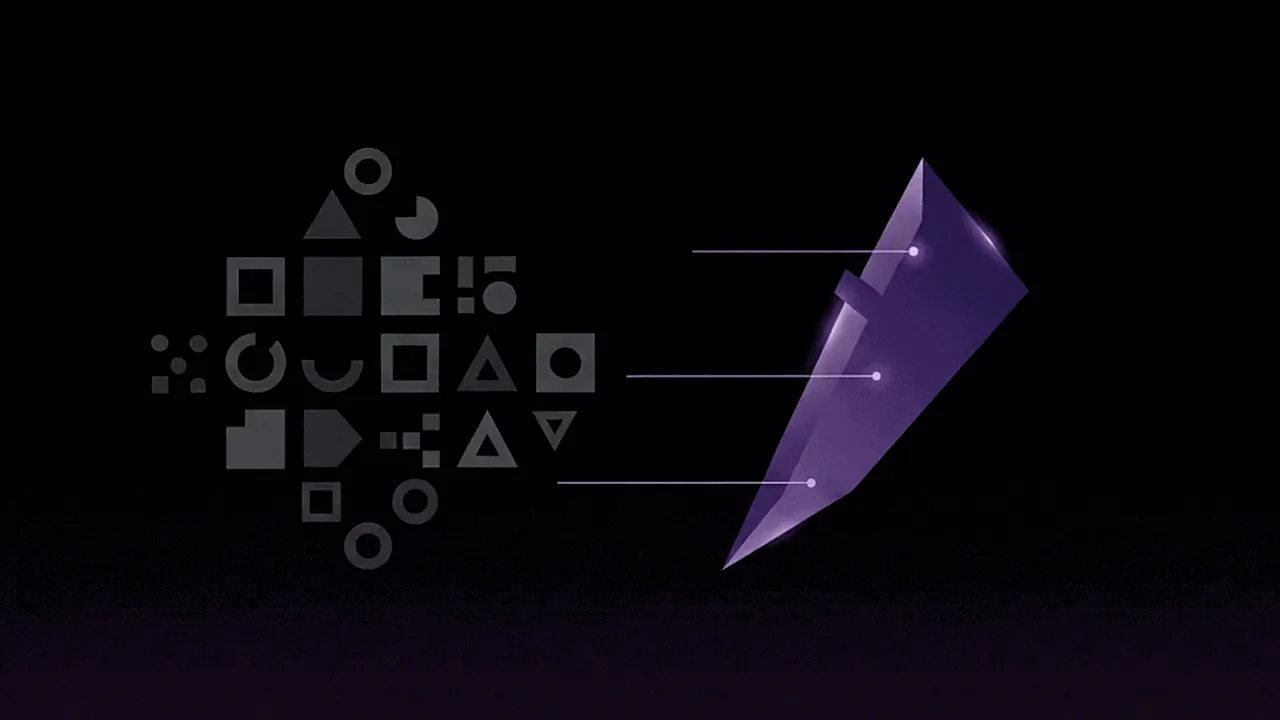
Kapwing is like a digital Swiss Army knife, useful for many things and with 4.9 stars on Google to prove it works well. But none of those things have the depth of a tool built specifically for that purpose. For clipping Brazilian streamers, that means less PT-BR accuracy, no Twitch or Kick integration, and a UI designed for many use cases, not for your specific one.
Cut.Pro was built to solve one very specific problem: automatically turning a Brazilian streamer's live into short, viral clips with maximum accuracy in Portuguese. That focus results in features Kapwing simply doesn't have.
Conclusion: For Brazilian Clipping, Specialization Beats Breadth
Kapwing is a genuinely powerful American tool: 30M+ creators, 4.9/5 on Google, woman-founded and recognized by Google Chrome. For multilingual content teams that need dubbing in 49 languages, AI video generation and full editing in one subscription, the dollar investment may make sense.
But for Brazilian creators whose goal is to clip Twitch and Kick lives, generate viral clips in Portuguese and publish quickly, without paying IOF in dollars every month, Cut.Pro delivers more of what you need, exactly where you need it, for less than Kapwing charges.
Get started for free on Cut.Pro. 15 credits per month, no credit card: cut.pro
Frequently Asked Questions
How much does Kapwing cost in reais for Brazilians?
Kapwing Pro on the annual plan costs US$16/month. With the current exchange rate and the 6.38% IOF tax on international purchases, the real cost lands between R$96 and R$102/month. The annual Business plan (US$50/month) reaches R$300-320/month. On the month-to-month plan with no commitment, the prices climb to US$24/month (Pro) and US$64/month (Business). Cut.Pro Plus costs R$69.90/month, fixed in reais, with no IOF and no exchange-rate swings.
Is Kapwing a clipping specialist or a general suite?
Kapwing is a full AI video editing suite: the Repurpose Studio (clipping) is just one of dozens of tools available. That means its automatic clipping isn't as deep as you'd get from a specialized tool. Cut.Pro was built from the ground up exclusively for clipping, with AI trained specifically to detect the best moments in Portuguese content.
Does Kapwing integrate with Twitch or Kick?
No. Kapwing accepts local file uploads and URL imports from YouTube and Vimeo, but it has no native integration with Twitch or Kick. For Brazilian streamers who want automatic clipping of VODs and lives, Cut.Pro is the more direct option, with native connections to both platforms and clipping during the live broadcast itself.
Does Kapwing have AI Dubbing? For which languages?
Yes, Kapwing offers AI Dubbing for 49 languages with 180 voices, including premium ElevenLabs voices, voice cloning, lip-sync and multi-speaker detection. It's one of the most advanced features in the category. For creators who produce content in Portuguese and want to distribute versions in English, Spanish or other languages, this is a genuinely valuable feature that Cut.Pro doesn't offer. Custom voice cloning is available only on the Business plan (US$50/month annually or US$64/month monthly).
What is Kapwing's user rating?
Kapwing has a rating of 4.9/5 stars on Google with more than 5,024 reviews, and 4.4/5 on Capterra. The platform is used by more than 30 million creators worldwide. It's a well-reviewed tool for content teams and multilingual creators, but those ratings reflect overall use of the suite, not clipping for Portuguese-language streaming specifically.