Spikes Studio vs Cut.Pro: Is Paying in Dollars Worth It for Brazilian Creators?
A full 2026 comparison of Spikes Studio and Cut.Pro. Find out what Spikes really costs in reais once you add IOF, how many minutes you actually get, and why Brazilian creators are switching to a BRL-priced alternative.
Spikes Studio vs Cut.Pro: Is Paying in Dollars Worth It for Brazilian Creators?
Spikes Studio is one of the most internationally recognized AI clipping tools out there, with over 1 million users, a 4.9/5 rating on Product Hunt, a #1 Product of the Week badge, and an ecosystem that goes way beyond basic clipping: face tracking, AI B-roll, scheduling, analytics, and a lot more. But for a Brazilian creator, there's one practical question that has to be answered before any feature breakdown: how much does it actually cost in reais, and how many minutes do you get?
The answer is going to surprise a lot of people who only look at the dollar price on the site. And when you put the numbers side by side with Cut.Pro (a Brazilian alternative focused on PT-BR, Twitch and Kick), the equation shifts considerably.
What is Spikes Studio?
Spikes Studio is an international AI clipping and social-publishing platform. The product describes itself as "your complete social video studio, in your pocket." It has racked up more than 1 million global users, a 4.9/5 star rating on Product Hunt, and was named #1 Product of the Week on that platform.
The tool goes beyond clipping: it includes a web editor, AI animated captions, AI-generated B-roll, a music and SFX library, a social scheduler with analytics, and a centralized management dashboard.
Spikes Studio's main features:
- AI Auto-Clipping: Automatic detection of highlight moments in videos (link or upload)
- AI Virality Score: A score for each clip based on predicted engagement
- AI Face Tracking: Automatic face tracking for dynamic framing
- Auto Reframe: Automatic conversion to vertical format
- AI Transitions and Effects: AI-generated transitions and effects
- Topic Search: Search for specific topics inside the video
- Animated captions: Captions with animations in 99+ languages
- AI B-Roll: Automatic insertion of stock images and videos to enrich clips
- Music and SFX library: Licensed soundtracks and sound effects for commercial use
- Social Scheduler + Analytics: Built-in publish scheduling and performance metrics
- Multi-Platform Intelligence: Per-platform content optimization based on real-time trends
- Scale-Ready Architecture: Simultaneous processing of multiple videos
Spikes Studio Plans and Pricing 2026 (in dollars):
| Plan | Price/mo (annual) | Minutes included | Note |
|---|---|---|---|
| Basic (Free) | US$0 | ~30 min of demo | Watermark, 720p, no real processing |
| PRO+ | US$14.09 | 3,600 min/yr (300/mo) | No watermark, 1080p, "Most Popular" |
| Enterprise | US$56.34 | 14,400 min/yr (1,200/mo) | For companies and teams |
A note on the Spikes site: The comparison table on the pricing page shows "US$12.99/mo" for the Basic plan (suggesting there's a paid entry plan), while the plan card shows US$0.00. That inconsistency is on their page. When evaluating, always confirm what's actually being offered when you sign up.
What Does Spikes Studio Really Cost Brazilians?
International credit-card purchases in Brazil carry a 6.38% IOF, and the dollar exchange rate fluctuates constantly.
| Plan | USD price (annual) | BRL estimate (rate R$6.00 + IOF) | BRL estimate (rate R$6.30 + IOF) |
|---|---|---|---|
| PRO+ annual | US$14.09/mo | ~R$89.90/mo | ~R$94.40/mo |
| Enterprise annual | US$56.34/mo | ~R$359.50/mo | ~R$377.50/mo |
Figures calculated with a 6.38% IOF on international purchases. The actual exchange rate may vary.
The annual PRO+ (the most popular plan) costs between R$89 and R$95 per month for a Brazilian, with an annual commitment, and includes an average of 300 credits per month of processing.
What is Cut.Pro?
Cut.Pro is the Brazilian AI clipping platform built for streamers and content creators in Portuguese. With native Twitch and Kick integration, live clipping, and AI trained specifically for PT-BR, Cut.Pro offers the most complete experience for Brazilian creators, with no exchange-rate swings, no IOF, and no billing surprises.
Cut.Pro's AI hits a low WER (Word Error Rate), a benchmark measured on a large sample of real Brazilian content, including streamers, podcasters and YouTubers with regional accents and slang.
Cut.Pro Plans and Pricing 2026:
| Plan | Price/mo | Minutes/mo | Note |
|---|---|---|---|
| Free | Free | 15 credits | With watermark |
| Basic | R$19.90 | 100 credits | No watermark |
| Plus | R$69.90 | 1,000 credits | No watermark |
| Pro | R$119.90 | 2,500 credits | For heavy use |
No dollars, no IOF, no conversion. What's written is what you pay.
Feature Comparison: Cut.Pro vs Spikes Studio
| Feature | Cut.Pro |
|---|---|
| Billed in reais | Yes |
| Cost predictability | Total |
| Free plan | 15 credits/mo, HD |
| PT-BR accuracy | accurate PT-BR transcription |
| Twitch integration | Native, via connected account |
| Kick integration | Native, via connected account |
| Live clipping | Yes, while the stream is live |
| YouTube import | Yes |
| Video upload | Yes |
| AI Face Tracking | No |
| AI Transitions and Effects | No |
| Auto Reframe | No |
| Topic Search | No |
| AI Virality Score per clip | Yes |
| Animated captions | Yes |
| Direct publishing (TikTok/Reels/Shorts) | Yes |
| Social Scheduler with analytics | No |
| Music and SFX library | No |
| AI B-Roll | No |
| Community template gallery | Yes |
| Support in Portuguese | Yes |
| Affiliate program | Yes (Championships) |
The table above describes Cut.Pro only. Other tools change features and pricing frequently. To compare, check each tool's own site for what it offers today.
Minutes and Pricing Comparison: Cut.Pro vs Spikes Studio
| Scenario | Cut.Pro |
|---|---|
| Free plan | 15 credits/mo, HD |
| Paid entry (minutes) | 100 credits/mo (R$19.90) |
| Plus (minutes) | 1,000 credits/mo (R$69.90) |
| Heavy use (minutes) | 2,500 credits/mo (R$119.90) |
| Exchange-rate swings | None |
| IOF | No |
The table above describes Cut.Pro only. Other tools change features and pricing frequently. To compare, check each tool's own site for what it offers today.
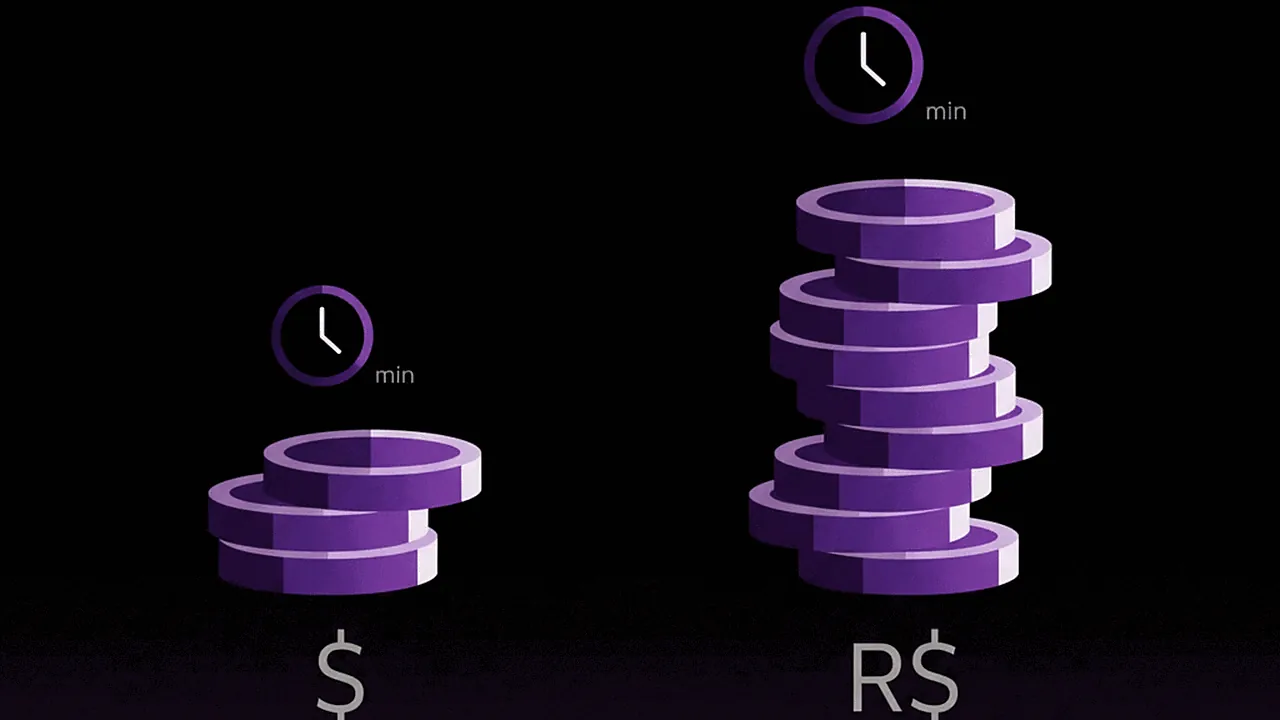
Cut.Pro Plus (R$69.90, 1,000 credits/mo) offers far more minutes than Spikes PRO+ (US$14.09, ~300 credits/mo) and, at today's price (September 2026), costs R$19 to R$25/mo less, with no exchange-rate swings. Over 12 months, that difference adds up to meaningful annual savings, and with more minutes included.
What Spikes Studio Does That Cut.Pro Doesn't
Being honest about the advantages of Spikes is important to help you make the right call:
1. AI Face Tracking, Auto Reframe and Transitions
Spikes includes AI face tracking to keep the speaker framed automatically, automatic vertical conversion (auto reframe) and AI-generated transitions. For polished clips with no manual editing, these features make a real difference in output quality.
2. Topic Search
You can search inside a video for a specific topic, which is handy for locating moments in long podcasts or interviews without watching the entire thing.
3. Built-in Music and SFX
A library of licensed soundtracks and sound effects for commercial use, right inside the tool. If you need to add background music or sound effects to a clip without leaving the platform, this feature is genuinely useful.
4. Social Scheduler with Analytics
It lets you schedule posts directly to social networks (LinkedIn, TikTok, Facebook, YouTube) and track the performance metrics of your clips. For anyone who wants a centralized performance dashboard, it's a valuable feature.
5. AI B-Roll
Automatically inserting stock footage to enrich clips is a useful creative feature for interviews or content where complementary visuals make a difference.
6. Scale and Global Recognition
Over 1 million users, 4.9/5 on Product Hunt, #1 Product of the Week. A global user base means more collective feedback, more integrations and faster feature development.
What Cut.Pro Does That Spikes Doesn't
1. Native Twitch and Kick
This is the biggest difference for Brazilian streamers. There's no specific Twitch or Kick integration in Spikes. You have to export the VOD, upload it or paste the link, and wait for processing. With Cut.Pro, you connect once and your VODs are processed automatically.
2. Live Clipping
Cut.Pro identifies moments while the live is happening. Spikes only processes content that's already recorded.
3. More Minutes for a Lower Price
1,000 credits/mo on Cut.Pro Plus (R$69.90) vs. 300 credits/mo on Spikes PRO+ (~R$89-95). You get more minutes, in reais, with no exchange-rate risk.
4. Support in Portuguese
When you have a question or a problem, Cut.Pro's support is in PT-BR. Spikes handles support in English via Intercom.
5. Fixed Price in Reais
No currency surprises. No IOF. No month where the bill comes in higher because the dollar spiked. The plan is priced in reais, so the exchange rate never touches it.
6. PT-BR Accuracy with an Internal Benchmark
Cut.Pro publishes its WER (0.8%) measured on real Brazilian content. Spikes supports 99+ languages, but with no specific accuracy data for PT-BR with streaming slang, regional accents or code-switching.
When to Choose Spikes Studio
Spikes Studio makes more sense if you:
- Produce multilingual content: If you create in English, Spanish and Portuguese at the same time, Spikes' global infrastructure serves you better.
- Need automatic face tracking and auto reframe: For anyone who wants polished vertical clips without manual framing.
- Want built-in music, SFX and B-roll: The licensed library and AI B-roll are real differentiators if you don't want to deal with copyright separately.
- Need scheduling and analytics in one place: For anyone managing posts with structured editorial planning.
- Don't stream on Twitch or Kick: If all your content is YouTube + upload or link, Spikes serves you with no platform limitations.
When to Choose Cut.Pro
Cut.Pro is the right choice if you:
- Are a Twitch or Kick streamer: No contest. Native integration and live clipping don't exist in Spikes.
- Want more minutes for a lower price: 1,000 credits/mo for R$69.90 vs. 300 credits/mo for ~R$89-95 in dollars.
- Produce content 100% in PT-BR: Cut.Pro's focus on Brazilian Portuguese gives you more confidence in caption accuracy with slang and local expressions.
- Want total cost predictability: No exchange rate, no IOF, no billing surprises every month.
- Want support in Portuguese: Talking in PT-BR with the support team speeds up resolving questions and technical issues.
Conclusion: Global Ecosystem vs Brazilian Specialist
Spikes Studio is a genuinely complete international tool, with face tracking, auto reframe, topic search, music, B-roll and analytics that Cut.Pro doesn't yet offer. For creators who produce multilingual content, who need a full publishing ecosystem, or who want polished vertical clips with minimal manual editing, Spikes justifies the investment.

But for Brazilian creators who stream on Twitch or Kick, produce content exclusively in PT-BR and want more minutes for less money (with no exchange-rate swings, no IOF, and support in Portuguese), Cut.Pro delivers more than what needs to be delivered, at the right price for the Brazilian market.
Try Cut.Pro for free (15 credits per month, no credit card): cut.pro
Frequently Asked Questions
How much does Spikes Studio cost in reais for Brazilians?
The Spikes annual PRO+ plan costs US$14.09/mo and includes 3,600 minutes per year (an average of 300 credits/mo). Converting at an exchange rate of R$6.00 plus the 6.38% IOF on international purchases, the real cost lands between R$89 and R$95 per month depending on the rate. The Free plan only allows about 30 minutes of demo content. Cut.Pro Plus costs R$69.90/mo with 1,000 credits, with no exchange-rate swings.
How many minutes does Spikes Studio PRO+ give you per month?
The PRO+ plan includes 3,600 minutes per year, which works out to an average of 300 credits per month. The Enterprise plan includes 14,400 minutes per year (an average of 1,200 credits/mo). Cut.Pro Plus offers 1,000 credits per month, and Cut.Pro Pro offers 2,500 credits per month.
Does Spikes Studio work well with Brazilian Portuguese?
Spikes Studio supports 99+ languages for caption processing, but its models weren't trained specifically for Brazilian Portuguese. Streaming slang, regional expressions and PT-EN code-switching tend to produce more errors than tools built for PT-BR. Cut.Pro was developed with a low WER benchmark measured specifically on real Brazilian content.
Does Spikes Studio integrate with Twitch and Kick?
Not directly. Spikes Studio accepts video links and file uploads, but it has no native integration with Twitch or Kick. The About page mentions support for YouTube lives and videos as sources, but no specific streaming-platform integration is listed on the public site. Cut.Pro connects directly to Twitch and Kick, processing VODs automatically with no extra steps.
Does Spikes Studio have features Cut.Pro doesn't?
Yes. Spikes Studio offers features Cut.Pro doesn't have: AI Face Tracking, AI Transitions and Effects, automatic Auto Reframe, Topic Search (searching by topic within the video), a library of licensed music and SFX, direct social scheduling with performance analytics, and AI B-roll for automatic stock-image insertion. For creators who need a full publishing and analytics ecosystem, Spikes is more comprehensive.